






“Goverlan presents a meaningfully better overall value for the money, with a lower price point to begin with, a perpetual right to use the entire software suite by default, a unified set of capabilities in same product as opposed to edition thresholds to navigate, and an ability to manage an unlimited number of client machine targets per administrator.”
by Jonathan Hassell
Author, consultant and speaker on a variety of IT topics. His published works includes Learning Windows Server 2003 from O’Reilly, and his work appears regularly in such periodicals as Windows IT Pro, PC Pro and TechNet Magazine. He also speaks worldwide on topics ranging from networking and security to Windows administration.
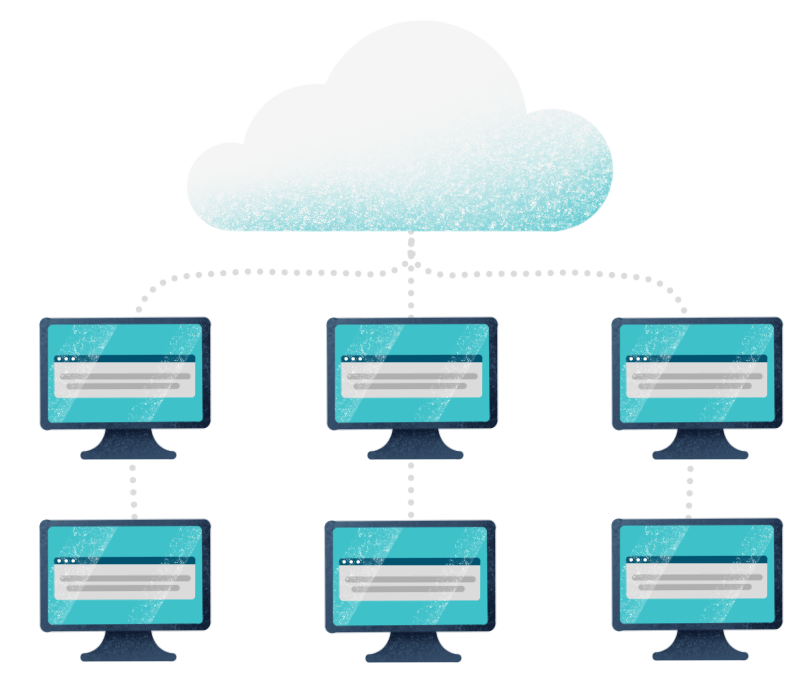
In search of a Windows network management tool but don’t have a ton of budget to spare for enterprise-class solutions? Both Goverlan’s Remote Administration Suite v7 and ManageEngine Desktop Central aim to help centralize and unify administrative tasks and control among all client PCs in an organization. But the two products differ in how they execute that goal, and each has different strengths that may be more applicable to your situation depending on your current deployment. Let’s take a look at both products.
Feature Overview
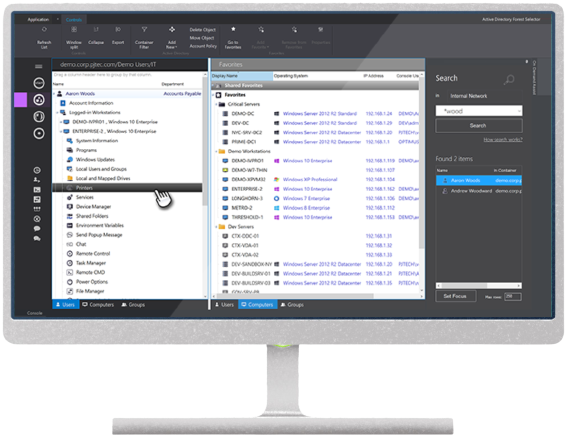
The ManageEngine Desktop Central console is web-based and all configuration and operation is performed from within a web browser. Goverlan Remote Administration Suite uses a Windows application, which in my experience performed more quickly and consistently through my tests, although it limits the ability to use non-Windows computers to perform administrative tasks. I was able to install Desktop Central and get to a functional start within an hour; getting up to speed with Goverlan was slightly faster, especially when installing client agents. The ManageEngine agent requires 512 MB of RAM and 30 MB of disk space; Goverlan’s agent, in contrast, is only a few megabytes (<5MB), has negligible memory requirements, and installs within seconds.
Both products are full-featured when it comes to management, offering a central console from which to administer servers and clients. One of the big differentiators between the two products is the Scope Actions tool in Goverlan, which allows you to easily define a scope of targets—they could be users, computers or groups—using powerful filtering and selection criteria. Then you can define the administrative actions to perform on that scope, which can be essentially anything Windows permits you to do, including Windows Management Instrumentation (WMI) queries, and run those actions either on an ad-hoc, scheduled or recurring basis. While Desktop Central allows you to define actions across multiple machines, I found the availability of options and the granularity of setting up a proper scope much easier and much more powerful with Goverlan—something that pays off more and more as your network grows.
One area of strength for ManageEngine Desktop Central is the ability to manage mobile devices, including the enrollment of devices to manage, managing policies and profiles to restrict access to certain corporate resources, managing the mobile assets themselves, and reporting and auditing functions. While the Free Edition of Desktop Central allows you to manage two devices, additional devices can cost up to $15 more per device, as this module is an add-on to the Desktop Central license and not available as an “in the box” feature.
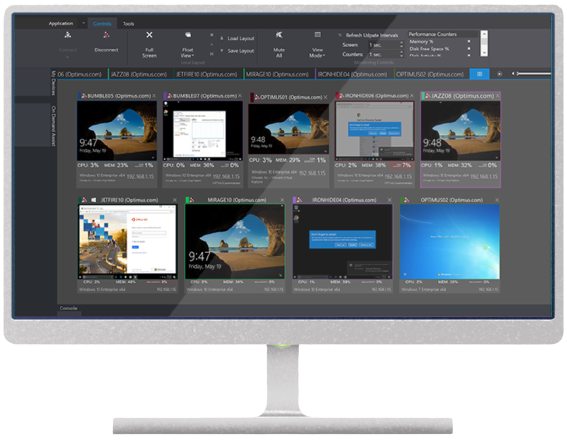
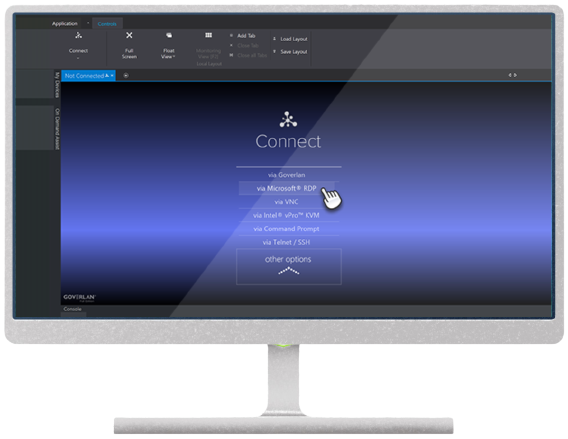
Remote control and desktop sharing is another capability common to both products, allowing administrators to assist and troubleshoot client machines without being physically present at that computer. ManageEngine Desktop Central Sharing uses a web-based component involving either ActiveX or Java to initiate remote sessions without requiring an agent. For clients running Windows, Goverlan uses an agent that has access to a single TCP port for communications; the software also works with both Mac OS X and Linux computers using the VNC protocol. Desktop Central Sharing works only with Windows 2000 and later and no alternative platforms. Both products encrypt the remote control traffic for added protection. Goverlan also works well with virtual desktop infrastructure-based deployments, allowing an administrator to shadow multiple client sessions on a single virtual host that uses Microsoft’s Terminal Services and Remote Desktop Services as well as Citrix’s Xen line of VDI products, just as simply as a console session on a physical computer.
Pricing and Support
While Goverlan’s Remote Administration suite is priced at $699 per perpetual license per administrator with no client node fee, ManageEngine Desktop Central is priced both per administrator or technician and also per client node, making larger installations significantly more expensive than Goverlan. For a one year subscription- based license for one technician and 100 computers in the Professional Edition, the bill comes to $995, whereas for a perpetual license of the same configuration you will spend $2,488. The licenses are priced in thresholds of 50 client nodes, but ManageEngine offers a quote function if you have a quantity of computers to license in between these thresholds. Additional administrator and technician users add anywhere from $100-300 on the cost of the software per year for subscriptions or $320-750 for perpetual licenses.
ManageEngine includes one year of technical support, including product updates, with each subscription purchase of Desktop Central. Maintenance and support for perpetual licenses run from a couple hundred additional dollars per year through many thousands, depending on the number of users and client nodes. Goverlan provides complimentary, non-expiring e-mail technical support for the current/prior version, 90 days of live support for new/upgraded licenses, and extended maintenance options.
The Last Word
Both Goverlan’s Remote Administration Suite v7 and ManageEngine Desktop Central live up to their claims of automating and centralizing Windows administration and support in the enterprise, but the functionality is only one part of the story.
While ManageEngine Desktop Central seems quite capable, I believe Goverlan presents a meaningfully better overall value for the money, with a lower price point to begin with, a perpetual right to use the entire software suite by default, a unified set of capabilities in same product as opposed to edition thresholds to navigate, and an ability to manage an unlimited number of client machine targets per administrator.
Download a free, full 30-day trial of Goverlan today. Learn more about Goverlan’s ROI & benefits.